使用 Visual Studio Code 在 Microsoft Fabric 中進行資料科學
您可以在 VS Code 中為 Microsoft Fabric 構建和開發資料科學與資料工程解決方案。適用於 VS Code 的 Microsoft Fabric 擴充套件提供了整合開發體驗,可用於處理 Fabric 專案、Lakehouse、Notebook 和使用者定義函式。
什麼是 Microsoft Fabric?
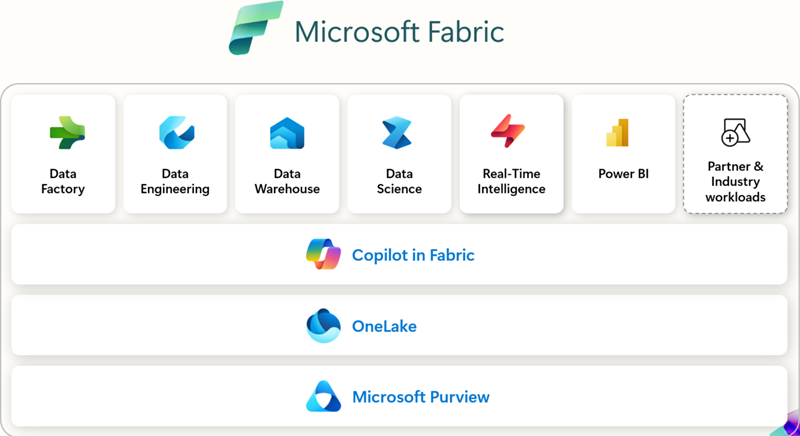
Microsoft Fabric 是一個面向企業的、端到端的資料分析平臺。它統一了資料移動、資料處理、資料引入、資料轉換、即時事件路由和報表構建。它透過 Data Engineering、Data Factory、Data Science、Real-Time Intelligence、Data Warehouse 和 Databases 等整合服務支援這些功能。立即免費註冊,免費體驗 Microsoft Fabric 60 天 — 無需信用卡。
先決條件
在開始使用適用於 VS Code 的 Microsoft Fabric 擴充套件之前,您需要:
- Visual Studio Code:安裝最新版 VS Code。
- Microsoft Fabric 帳戶:您需要有權訪問 Microsoft Fabric 工作區。您可以 註冊免費試用以開始使用。
- Python:安裝 Python 3.8 或更高版本,以便在 VS Code 中使用 Notebook 和 使用者定義函式。
安裝和設定
您可以從 Visual Studio Marketplace 中查詢並安裝這些擴充套件,或者直接在 VS Code 中安裝。選擇“擴充套件”檢視(⇧⌘X (Windows、Linux Ctrl+Shift+X)),然後搜尋“Microsoft Fabric”。
使用哪些擴充套件
| 擴充套件 | 最適合 | 主要功能 | 建議您使用,如果您... | 文件 |
|---|---|---|---|---|
| Microsoft Fabric 擴充套件 | 通用工作區管理、專案管理和處理專案定義 | - 管理 Fabric 專案(Lakehouse、Notebook、管道) - Microsoft 帳戶登入和租戶切換 - 統一或分組的專案檢視 - 使用 IntelliSense 編輯 Fabric Notebook - 命令面板整合( Fabric: 命令) |
您希望有一個擴充套件程式可以直接從 VS Code 中管理 Fabric 中的工作區、Notebook 和專案。 | Fabric VS Code 擴充套件是什麼 |
| Fabric 使用者定義函式 | 開發自定義轉換和工作流的開發人員 | - 在 Fabric 中編寫無伺服器函式 - 使用斷點進行本地除錯 - 管理資料來源連線 - 安裝/管理 Python 庫 - 直接將函式部署到 Fabric 工作區 |
您需要構建自動化或資料轉換邏輯,並需要從 VS Code 進行除錯和部署。 | 在 VS Code 中開發使用者定義函式 |
| Fabric 資料工程 | 處理大規模資料和 Spark 的資料工程師 | - 探索 Lakehouse(表、原始檔案) - 開發/除錯 Spark Notebook - 構建/測試 Spark 作業定義 - 在本地 VS Code 和 Fabric 之間同步 Notebook - 預覽架構和示例資料 |
您使用 Spark、Lakehouse 或大規模資料管道,並希望進行本地探索、開發和除錯。 | 在 VS Code 中開發 Fabric Notebook |
入門
安裝擴充套件並登入後,您就可以開始使用 Fabric 工作區和專案了。在命令面板(⇧⌘P (Windows、Linux Ctrl+Shift+P))中,鍵入“Fabric”以列出 Microsoft Fabric 特有的命令。

Fabric 工作區和專案瀏覽器
Fabric 擴充套件程式提供了一種無縫的方式來處理遠端和本地 Fabric 專案。
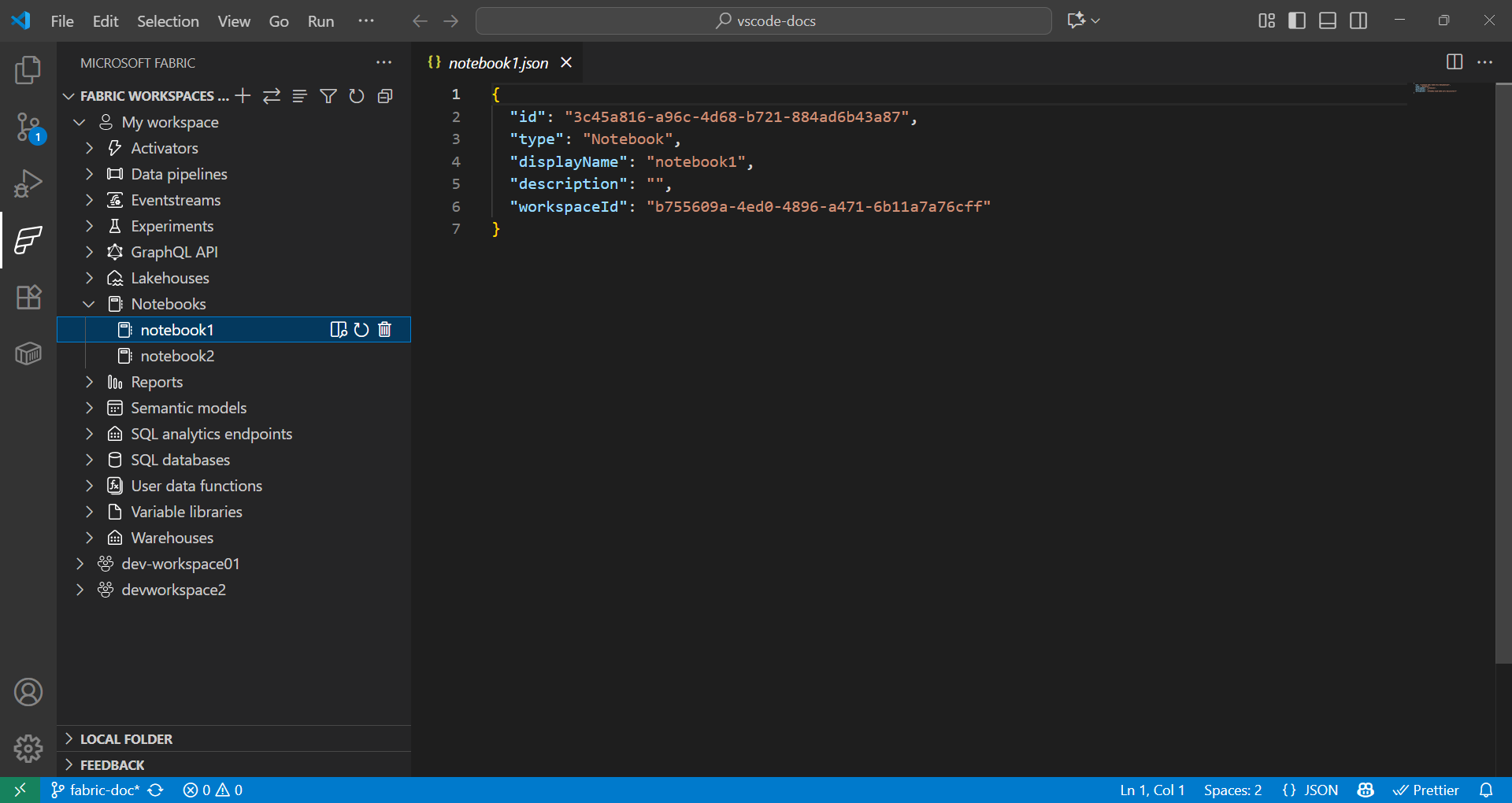
- 在 Fabric 擴充套件程式中,“Fabric 工作區”部分按型別(Lakehouse、Notebook、管道等)列出了遠端工作區中的所有專案。
- 在 Fabric 擴充套件程式中,“本地資料夾”部分顯示了在 VS Code 中開啟的 Fabric 專案資料夾。它反映了您在 VS Code 中開啟的每種型別的 Fabric 專案定義的結構。這使您能夠本地開發並將更改釋出到當前或新的工作區。
使用使用者定義函式進行資料科學
-
在命令面板(⇧⌘P (Windows、Linux Ctrl+Shift+P))中,鍵入“Fabric: Create Item”。
-
選擇您的工作區,然後選擇“User data function”。提供一個名稱並選擇“Python”語言。
-
您會收到通知,需要設定 Python 虛擬環境,然後繼續在本地進行設定。
-
使用
pip install安裝庫,或在 Fabric 擴充套件程式中選擇使用者定義函式專案來新增庫。更新requirements.txt檔案以指定依賴項。fabric-user-data-functions ~= 1.0 pandas == 2.3.1 numpy == 2.3.2 requests == 2.32.5 scikit-learn=1.2.0 joblib=1.2.0 -
開啟
functions_app.py。下面是使用 scikit-learn 為資料科學開發使用者定義函式的示例。import datetime import fabric.functions as fn import logging # Import additional libraries import pandas as pd from sklearn.ensemble import RandomForestClassifier from sklearn.preprocessing import StandardScaler from sklearn.model_selection import train_test_split from sklearn.metrics import accuracy_score import joblib udf = fn.UserDataFunctions() @udf.function() def train_churn_model(data: list, targetColumn: str) -> dict: ''' Description: Train a Random Forest model to predict customer churn using pandas and scikit-learn. Args: - data (list): List of dictionaries containing customer features and churn target Example: [{"Age": 25, "Income": 50000, "Churn": 0}, {"Age": 45, "Income": 75000, "Churn": 1}] - targetColumn (str): Name of the target column for churn prediction Example: "Churn" Returns: dict: Model training results including accuracy and feature information ''' # Convert data to DataFrame df = pd.DataFrame(data) # Prepare features and target numeric_features = df.select_dtypes(include=['number']).columns.tolist() numeric_features.remove(targetColumn) X = df[numeric_features] y = df[targetColumn] # Split and scale data X_train, X_test, y_train, y_test = train_test_split(X, y, test_size=0.2, random_state=42) scaler = StandardScaler() X_train_scaled = scaler.fit_transform(X_train) X_test_scaled = scaler.transform(X_test) # Train model model = RandomForestClassifier(n_estimators=100, random_state=42) model.fit(X_train_scaled, y_train) # Evaluate and save accuracy = accuracy_score(y_test, model.predict(X_test_scaled)) joblib.dump(model, 'churn_model.pkl') joblib.dump(scaler, 'scaler.pkl') return { 'accuracy': float(accuracy), 'features': numeric_features, 'message': f'Model trained with {len(X_train)} samples and {accuracy:.2%} accuracy' } @udf.function() def predict_churn(customer_data: list) -> list: ''' Description: Predict customer churn using trained Random Forest model. Args: - customer_data (list): List of dictionaries containing customer features for prediction Example: [{"Age": 30, "Income": 60000}, {"Age": 55, "Income": 80000}] Returns: list: Customer data with churn predictions and probability scores ''' # Load saved model and scaler model = joblib.load('churn_model.pkl') scaler = joblib.load('scaler.pkl') # Convert to DataFrame and scale features df = pd.DataFrame(customer_data) X_scaled = scaler.transform(df) # Make predictions predictions = model.predict(X_scaled) probabilities = model.predict_proba(X_scaled)[:, 1] # Add predictions to original data results = customer_data.copy() for i, (pred, prob) in enumerate(zip(predictions, probabilities)): results[i]['churn_prediction'] = int(pred) results[i]['churn_probability'] = float(prob) return results -
透過按 F5 在本地測試您的函式。
-
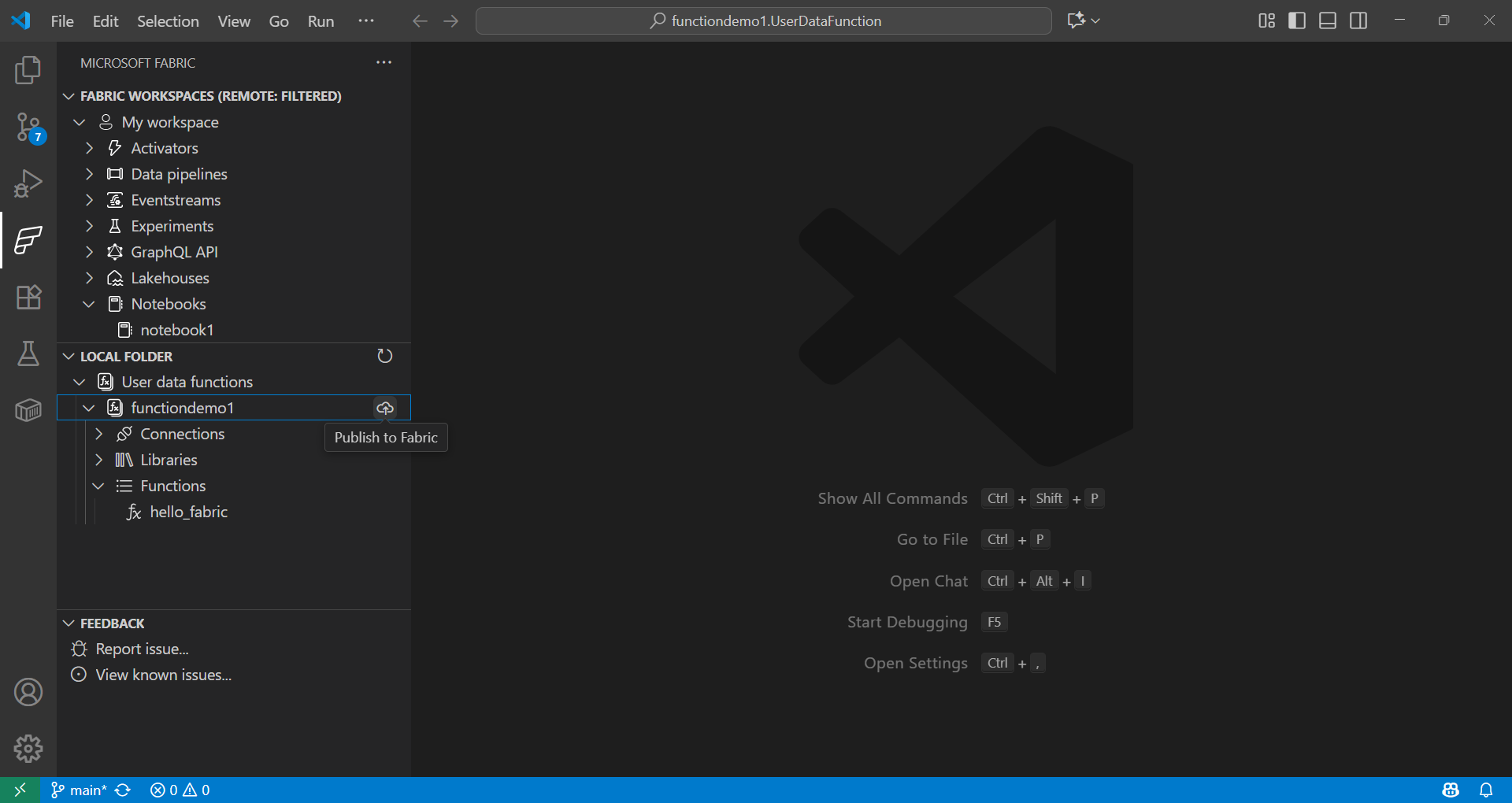
在 Fabric 擴充套件程式中,在“本地資料夾”下,選擇函式併發布到您的工作區。
詳細瞭解如何從以下位置呼叫函式:
使用 Fabric Notebook 進行資料科學
Fabric Notebook 是 Microsoft Fabric 中的互動式工作簿,用於並排編寫和執行程式碼、視覺化和 Markdown。Notebook 支援多種語言(Python、Spark、SQL、Scala 等),非常適合在 Fabric 中使用 OneLake 中的現有資料進行資料探索、轉換和模型開發。
示例
下面的單元格使用 Spark 讀取 CSV,將其轉換為 pandas,並使用 scikit-learn 訓練邏輯迴歸模型。請將列名和路徑替換為您資料集的值。
def train_logistic_from_spark(spark, csv_path):
    # Read CSV with Spark, convert to pandas
    sdf = spark.read.option("header", "true").option("inferSchema", "true").csv(csv_path)
    df = sdf.toPandas().dropna()

    # Adjust these to match your dataset
    X = df[['feature1', 'feature2']]
    y = df['label']

    from sklearn.model_selection import train_test_split
    from sklearn.linear_model import LogisticRegression
    from sklearn.metrics import accuracy_score

    X_train, X_test, y_train, y_test = train_test_split(X, y, test_size=0.2, random_state=42)
    model = LogisticRegression(max_iter=200)
    model.fit(X_train, y_train)

    preds = model.predict(X_test)
    return {'accuracy': float(accuracy_score(y_test, preds))}

# Example usage in a Fabric notebook cell
# train_logistic_from_spark(spark, '/path/to/data.csv')
有關更多資訊,請參閱 Microsoft Fabric Notebooks 文件。
Git 整合
Microsoft Fabric 支援 Git 整合,可實現資料和分析專案的版本控制和協作。您可以將 Fabric 工作區連線到 Git 儲存庫(主要是 Azure DevOps 或 GitHub),並且僅同步支援的專案。此整合還支援 CI/CD 工作流,使團隊能夠高效地管理版本並維護高質量的分析環境。

後續步驟
現在您已在 VS Code 中設定了 Microsoft Fabric 擴充套件,請探索這些資源以加深您的知識:
參與社群並獲取支援