Azure Remote Debugging for Node.js
Connect the Visual Studio Code debugger to your Node.js applications running on Azure App Service on Linux. The debugger works the same as when it's connected to a local Node.js process - including the use of Breakpoints and Logpoints.
安裝擴充套件
Remote debugging support for VS Code is provided by the Azure App Service extension for apps deployed to Azure.
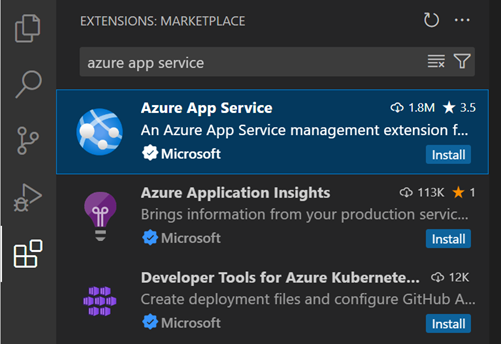
To install the Azure App Service extension
- Open the Extensions view by pressing ⇧⌘X (Windows, Linux Ctrl+Shift+X)
- Search for 'azure app service' to filter the results.
- Select the Microsoft Azure App Service extension and select Install.
Connect to Azure
After you install the Azure App Service extension, notice that there's an Azure view added to the Activity Bar. Select the Azure view to open the Azure App Service Explorer.
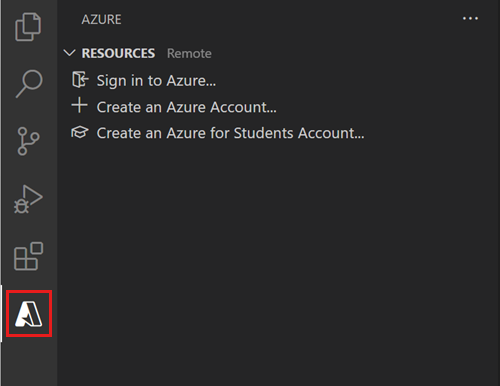
Select Sign in to Azure in the App Service Explorer or Azure: Sign In from the Command Palette (⇧⌘P (Windows, Linux Ctrl+Shift+P)) to sign in to your Azure Account. If you don't have an account, select Create an Azure Account... to create an Azure free account to try out any combination of Azure services.
Tip: If you don't have an app deployed to Azure App Service yet, start by following this tutorial to deploy a Node.js + MongoDB web app to Azure.
Start a remote debugging session
To start a remote debugging session for your application, right-click your app in the App Service Explorer and select Start Remote Debugging.
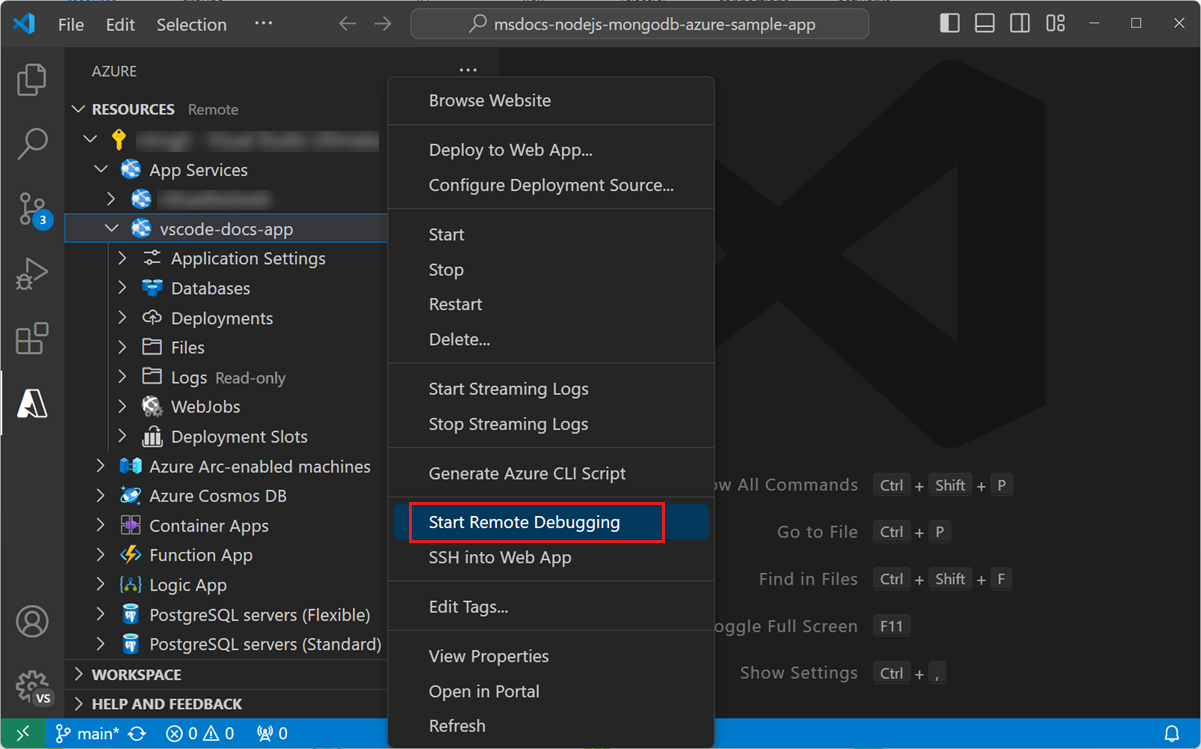
This process requires that the app be restarted with the debugger enabled. You are prompted to confirm the restart.
Once restarted, VS Code connects to the app's debugging port via an SSH tunnel. It might take some time to establish the connection. Once connected, VS Code switches to debugging mode and works in the same way as when you're debugging an app locally.
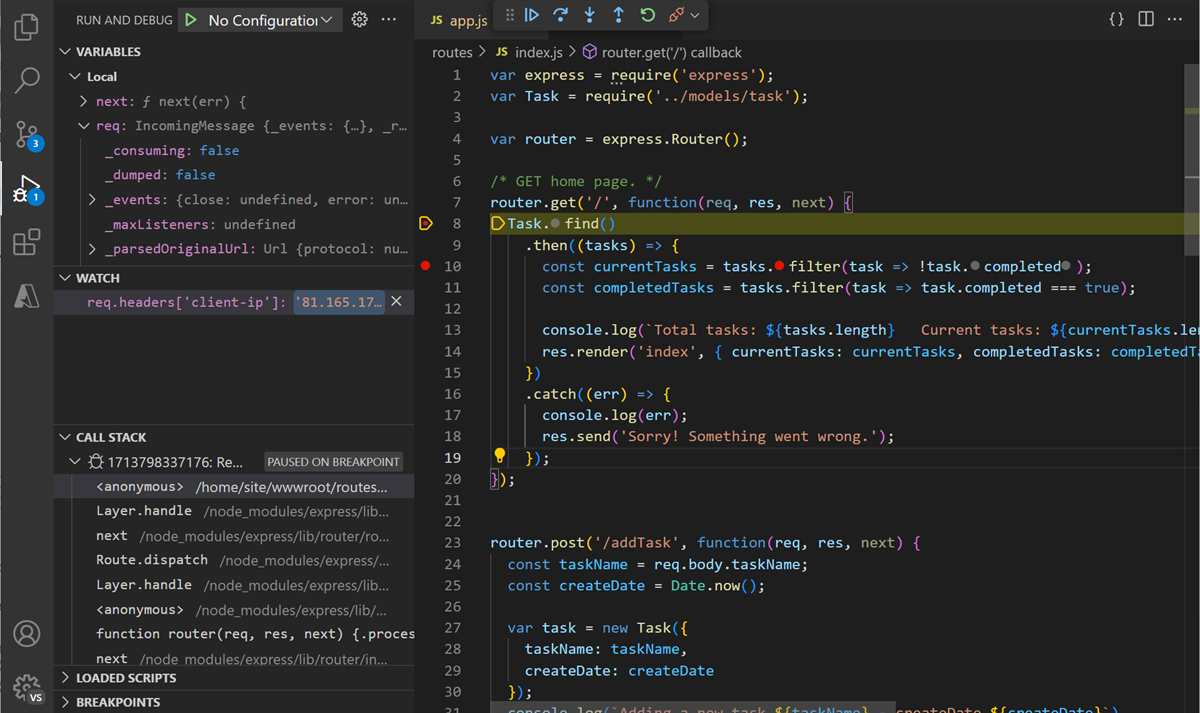
When you're ready to end your remote debugging session, disconnect from the debugger as you would normally, and confirm that you want to restart the app.
後續步驟
- Logpoints - Use Logpoints to log to the console without "breaking" in the debugger.
- Azure 擴充套件 - VS Code Marketplace 包含數百個用於 Azure 和雲的擴充套件。
- 部署到 Azure - 逐步瞭解如何將您的應用程式部署到 Azure。