持續整合
可以在 CI 服務上執行擴充套件整合測試。 @vscode/test-electron 庫可幫助您在 CI 提供商上設定擴充套件測試,其中包含一個在 Azure Pipelines 上設定的 示例擴充套件。您可以檢視 構建管道 或直接跳轉到 azure-pipelines.yml 檔案。
自動化釋出
您還可以配置 CI 以自動釋出擴充套件的新版本。
釋出命令與使用 vsce 從本地環境釋出類似,但您必須以某種安全的方式提供個人訪問令牌 (PAT)。透過將 PAT 儲存為 VSCE_PAT 秘密變數,vsce 將能夠使用它。秘密變數永遠不會暴露,因此在 CI 管道中使用它們是安全的。
Azure Pipelines

Azure Pipelines 非常適合執行 VS Code 擴充套件測試,因為它支援在 Windows、macOS 和 Linux 上執行測試。對於開源專案,您將獲得無限分鐘數和 10 個免費並行作業。本節將介紹如何為執行擴充套件測試設定 Azure Pipelines。
首先,在 Azure DevOps 上建立一個免費帳戶,併為您的擴充套件建立一個 Azure DevOps 專案。
然後,將以下 azure-pipelines.yml 檔案新增到擴充套件儲存庫的根目錄。除了用於在無頭 Linux CI 機器上執行 VS Code 所必需的 Linux xvfb 設定指令碼外,該定義非常直接。
trigger:
  branches:
    include:
    - main
  tags:
    include:
    - v*

strategy:
  matrix:
    linux:
      imageName: 'ubuntu-latest'
    mac:
      imageName: 'macos-latest'
    windows:
      imageName: 'windows-latest'

pool:
  vmImage: $(imageName)

steps:

- task: NodeTool@0
  inputs:
    versionSpec: '10.x'
  displayName: 'Install Node.js'

- bash: |
    /usr/bin/Xvfb :99 -screen 0 1024x768x24 > /dev/null 2>&1 &
    echo ">>> Started xvfb"
  displayName: Start xvfb
  condition: and(succeeded(), eq(variables['Agent.OS'], 'Linux'))

- bash: |
    echo ">>> Compile vscode-test"
    yarn && yarn compile
    echo ">>> Compiled vscode-test"
    cd sample
    echo ">>> Run sample integration test"
    yarn && yarn compile && yarn test
  displayName: Run Tests
  env:
    DISPLAY: ':99.0'
最後,在您的 DevOps 專案中 建立一個新管道,並將其指向 azure-pipelines.yml 檔案。觸發一次構建,大功告成!
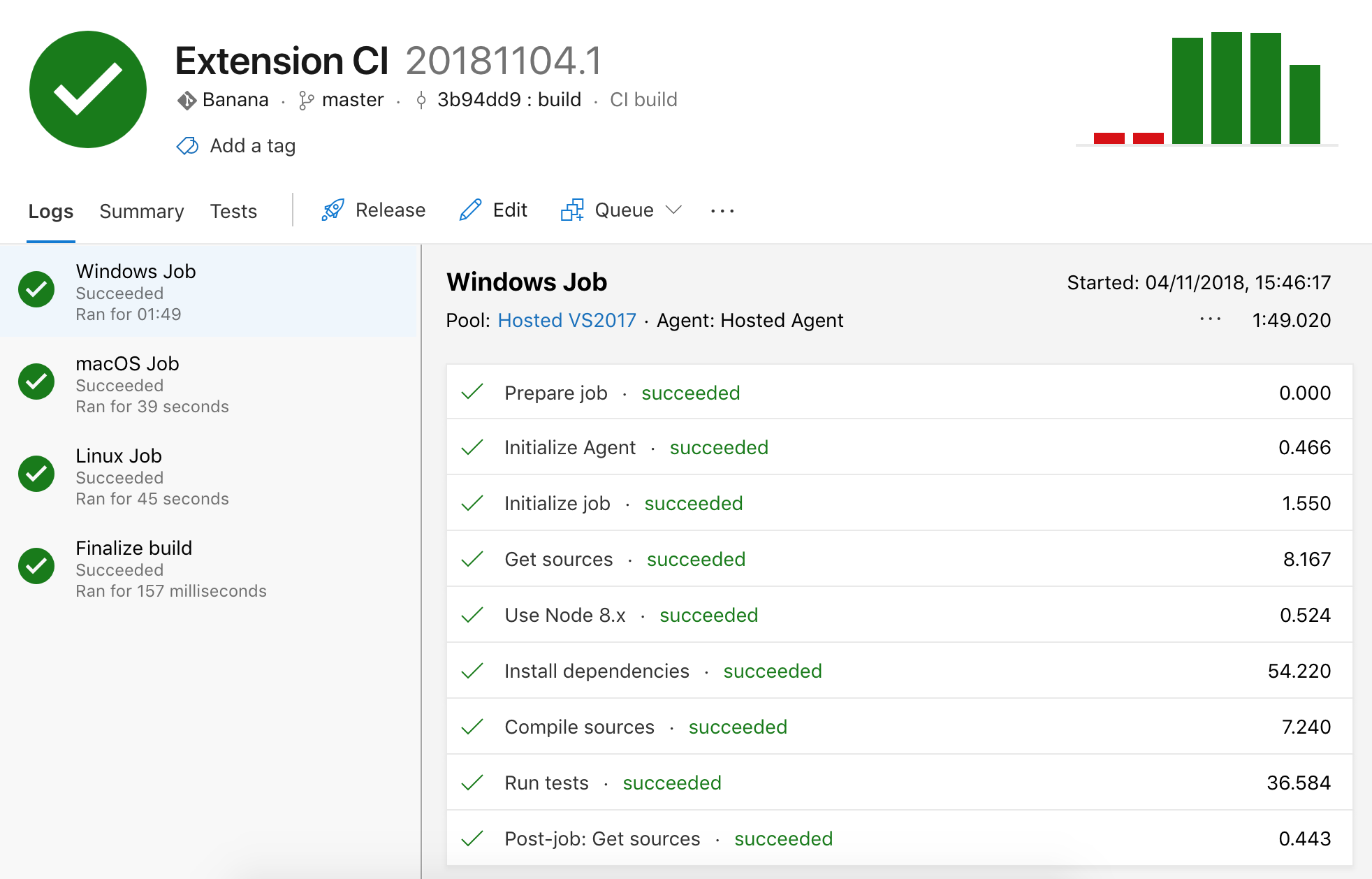
您可以啟用構建,使其在推送到分支時以及在拉取請求上連續執行。請參閱 構建管道觸發器 以瞭解更多資訊。
Azure Pipelines 自動化釋出
- 使用 Azure DevOps 秘密說明 將
VSCE_PAT設定為秘密變數。 - 將
vsce安裝為devDependencies(npm install @vscode/vsce --save-dev或yarn add @vscode/vsce --dev)。 - 在
package.json中宣告一個deploy指令碼,而不包含 PAT(預設情況下,vsce將使用VSCE_PAT環境變數作為個人訪問令牌)。
"scripts": {
  "deploy": "vsce publish --yarn"
}
- 配置 CI,以便在建立標籤時也執行構建。
trigger:
  branches:
    include:
    - main
  tags:
    include:
    - refs/tags/v*
- 在
azure-pipelines.yml中新增一個publish步驟,該步驟使用秘密變數呼叫yarn deploy。
- bash: |
    echo ">>> Publish"
    yarn deploy
  displayName: Publish
  condition: and(succeeded(), startsWith(variables['Build.SourceBranch'], 'refs/tags/'), eq(variables['Agent.OS'], 'Linux'))
  env:
    VSCE_PAT: $(VSCE_PAT)
condition 屬性告訴 CI 僅在某些情況下執行釋出步驟。
在我們的示例中,條件有三個檢查:
succeeded()- 僅在測試透過時釋出。startsWith(variables['Build.SourceBranch'], 'refs/tags/')- 僅在標記(釋出)版本時釋出。eq(variables['Agent.OS'], 'Linux')- 如果您的構建在多個代理(Windows、Linux 等)上執行,則包含。如果不包含,請刪除條件的那部分。
由於 VSCE_PAT 是一個秘密變數,它不能直接用作環境變數。因此,我們需要顯式地將環境變數 VSCE_PAT 對映到秘密變數。
GitHub Actions
您還可以配置 GitHub Actions 來執行您的擴充套件 CI。在無頭 Linux CI 機器上,xvfb 是執行 VS Code 所必需的,因此如果當前 OS 是 Linux,請在啟用 Xvfb 的環境中執行測試。
on:
  push:
    branches:
      - main

jobs:
  build:
    strategy:
      matrix:
        os: [macos-latest, ubuntu-latest, windows-latest]
    runs-on: ${{ matrix.os }}
    steps:
    - name: Checkout
      uses: actions/checkout@v4
    - name: Install Node.js
      uses: actions/setup-node@v4
      with:
        node-version: 18.x
    - run: npm install
    - run: xvfb-run -a npm test
      if: runner.os == 'Linux'
    - run: npm test
      if: runner.os != 'Linux'
GitHub Actions 自動化釋出
- 使用 GitHub Actions 秘密說明 將
VSCE_PAT設定為加密秘密。 - 將
vsce安裝為devDependencies(npm install @vscode/vsce --save-dev或yarn add @vscode/vsce --dev)。 - 在
package.json中宣告一個deploy指令碼,而不包含 PAT。
"scripts": {
  "deploy": "vsce publish --yarn"
}
- 配置 CI,以便在建立標籤時也執行構建。
on:
  push:
    branches:
    - main
  release:
    types:
    - created
- 在管道中新增一個
publish作業,該作業使用秘密變數呼叫npm run deploy。
- name: Publish
  if: success() && startsWith(github.ref, 'refs/tags/') && matrix.os == 'ubuntu-latest'
  run: npm run deploy
  env:
    VSCE_PAT: ${{ secrets.VSCE_PAT }}
if 屬性告訴 CI 僅在某些情況下執行釋出步驟。
在我們的示例中,條件有三個檢查:
success()- 僅在測試透過時釋出。startsWith(github.ref, 'refs/tags/')- 僅在標記(釋出)版本時釋出。matrix.os == 'ubuntu-latest'- 如果您的構建在多個代理(Windows、Linux 等)上執行,則包含。如果不包含,請刪除該條件的那部分。
GitLab CI
GitLab CI 可用於在無頭 Docker 容器中測試和釋出擴充套件。這可以透過拉取預配置的 Docker 映像,或在管道期間安裝 xvfb 和執行 Visual Studio Code 所需的庫來完成。
image: node:12-buster

before_script:
  - npm install

test:
  script:
    - |
      apt update
      apt install -y libasound2 libgbm1 libgtk-3-0 libnss3 xvfb
      xvfb-run -a npm run test
GitLab CI 自動化釋出
- 使用 GitLab CI 文件將
VSCE_PAT設定為掩碼變數。 - 將
vsce安裝為devDependencies(npm install @vscode/vsce --save-dev或yarn add @vscode/vsce --dev)。 - 在
package.json中宣告一個deploy指令碼,而不包含 PAT。
"scripts": {
  "deploy": "vsce publish --yarn"
}
- 新增一個
deploy作業,該作業呼叫npm run deploy並使用掩碼變數,該變數僅在標籤上觸發。
deploy:
  only:
    - tags
  script:
    - npm run deploy
常見問題
我需要為持續整合使用 Yarn 嗎?
以上所有示例都指的是使用 Yarn 構建的假設專案,但可以改編為使用 npm、Grunt、Gulp 或任何其他 JavaScript 構建工具。